

Saved places, iCloud and .sunterrain files
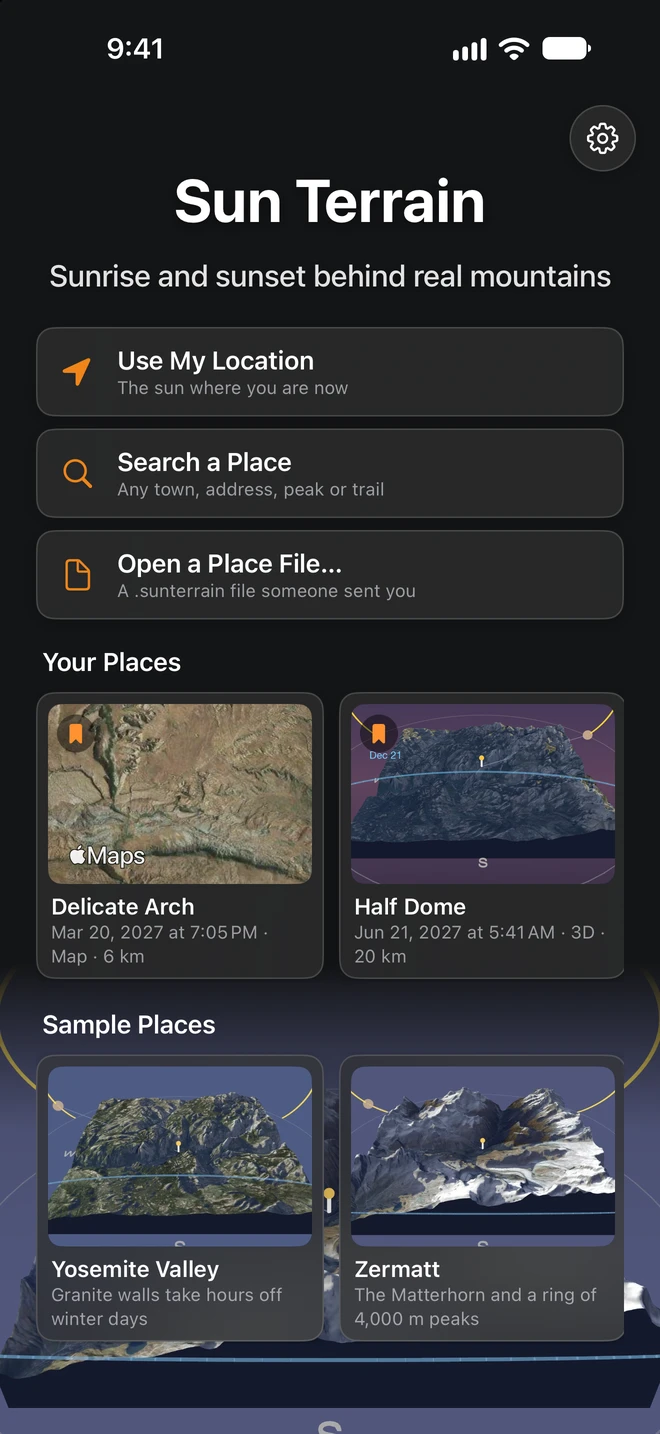
Sun Terrain separates Saved Places (places you deliberately keep with a specific date, time, view, area and notes), Recent Places (where you searched or dropped a pin recently), and the six built-in Sample Places.
Saving a place and automatic updates
Section titled “Saving a place and automatic updates”Tap the bookmark button in the toolbar (or More ▸ Save Place on iPhone) to save the place currently on screen. The Place Saved sheet lets you edit its Name (up to 200 characters) and Notes (up to 20,000 characters), and shows what it keeps:
- Coordinates and local time zone
- The exact date and time you are looking at (or Now, if following the live clock)
- The active workspace view (3D, Map, Horizon, AR or Split)
- Area Size (including any custom span framed from the 2D Map)
Autosave while open: Once a saved place is open, any adjustment you make to the time, date, view or area is automatically saved back to that place a moment after you stop adjusting (and when you switch places, background the app or quit). Moving the observer to a different coordinate (by dragging the pin or walking in Stand Here) detaches from the saved place so your original spot is never overwritten by mistake.
Right-click (Mac) or press and hold (iPhone and iPad) any saved place to Edit Name and Notes…, Share Place File…, Export Place File… (Mac) or Delete.
Private iCloud sync
Section titled “Private iCloud sync”Your Saved Places sync automatically across your iPhone, iPad and Mac signed in to the same Apple Account using your own private CloudKit database (iCloud.com.objectgraph.SunTerrain). No ObjectGraph account is required, and ObjectGraph cannot see or access your saved places.
Sharing and opening .sunterrain files
Section titled “Sharing and opening .sunterrain files”You can send one or more saved places to a friend, client or shooting partner as a lightweight .sunterrain JSON file:
- Share / Export: Use Share Place File… from a saved place’s context menu (or Export Place File… on the Mac) to send a file named after the place (for example
Half Dome.sunterrain). - Open / Import: Open a
.sunterrainfile from Finder, Files, Mail or AirDrop — or choose Open a Place File… on the iOS/iPadOS start screen. Every place in the file is added to Saved Places as your own copy, and the first place opens immediately. - Format & limits: Plain UTF-8 JSON (
com.objectgraph.sunterrain.place, version 1), capped at 2 MB and 500 places per file. Coordinates outside−85°to+85°latitude are ignored, and dates outside1900–2100open on Now.
Try our public sample file right away: download sunterrain-1.0-sample-places.sunterrain (Half Dome in Yosemite, Mount Fuji in Japan, and Delicate Arch in Moab).
The six built-in sample places
Section titled “The six built-in sample places”Available immediately on the start screen (iPhone, iPad, iPhone Duo) and in the sidebar under Sample Places (Mac):
| Place | Region | Why it is included |
|---|---|---|
| Yosemite Valley | California, USA | Steep granite valley walls cut hours off winter daylight. |
| Zermatt | Valais, Switzerland | Deep Alpine valley ringed by 4,000 m peaks including the Matterhorn. |
| Kamikochi Valley | Nagano, Japan | Sharp morning and evening shadow sweeps in the Northern Japanese Alps. |
| Phantom Ranch | Grand Canyon, USA | Inner-gorge canyon floor with extreme sunrise delay and early sunset. |
| Chamonix | Haute-Savoie, France | Mont Blanc massif casting dramatic afternoon shadows across the valley. |
| Key West | Florida, USA | Flat sea-level reference where terrain sunrise matches flat sunrise. |