

Climbs
GPX Explore finds the climbs on any track with elevation and rates them the way bike computers do. It is free, on Mac, iPhone and iPad.
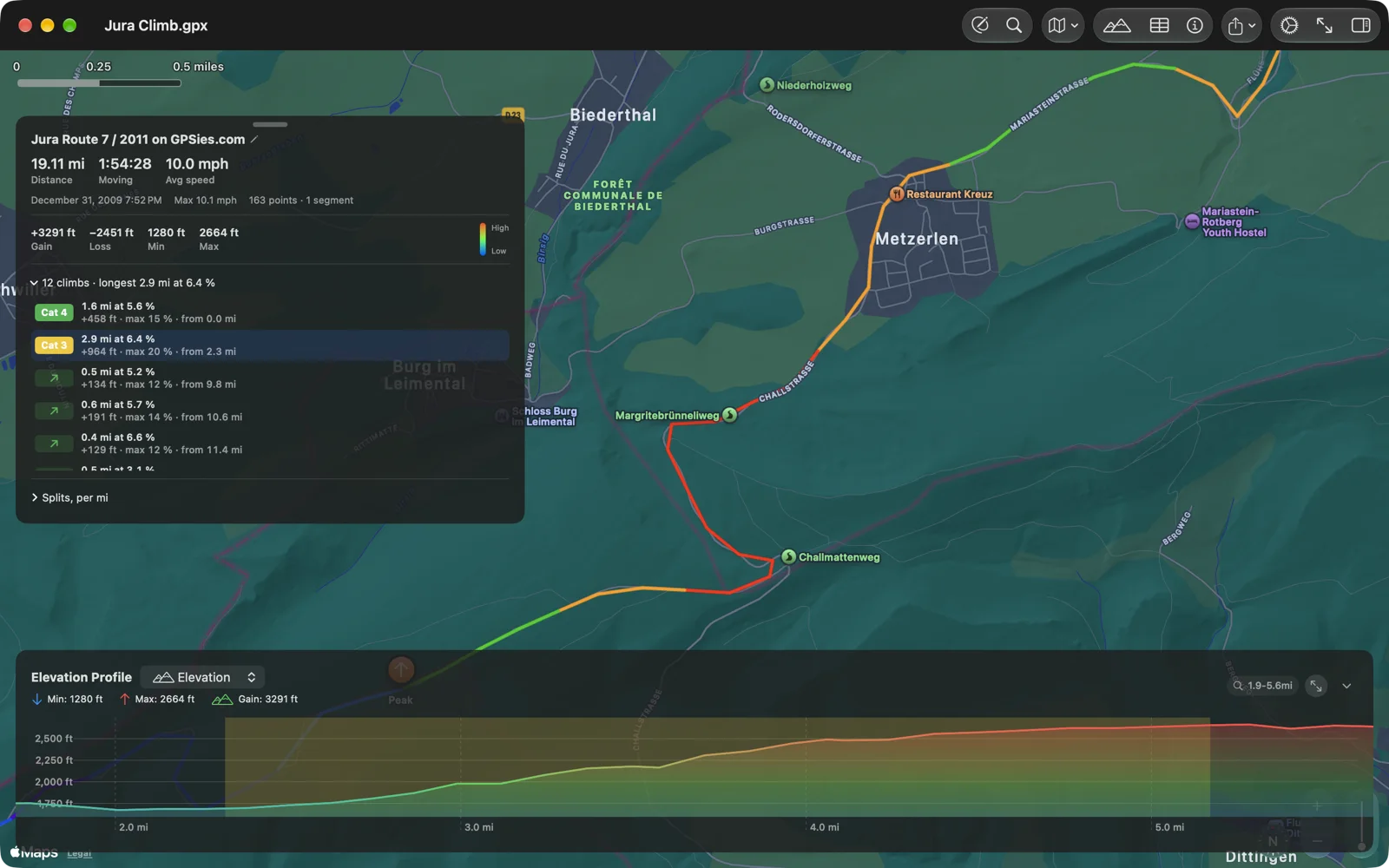
On the route card
Section titled “On the route card”Under the numbers, the card says how many climbs the track has and the longest one: “12 climbs · longest 2.9 mi at 6.4 %”. Open it for the list. Each climb has its category, its length and average grade, the height gained, the grade of its steepest 100 m, and where it starts: “2.9 mi at 6.4 % · +964 ft · max 20 % · from 2.3 mi”.
Tap a climb and the chart zooms to it and the map fits it; tap it again to see the whole track. On iPhone the card folds away so the climb has the screen.
On the chart
Section titled “On the chart”Each climb is shaded on the elevation profile in the color of its category, so the hard ones stand out before you ride. In the 3D view they are marked on the ground, and choosing one on the card flies the camera to it. The PDF report lists them in a table and numbers them on its profile, and its cue sheet has a line where each one begins.
What counts as a climb
Section titled “What counts as a climb”A climb is at least 500 m long at an average grade of 3 % or more, or at least 250 m at 7 % or more, so the short steep pitches of gravel and mountain bike routes count too. The profile is smoothed first, so a bridge, a tunnel or one bad GPS height does not make a climb, and a dip of less than 10 m does not end one; 500 m of flat does.
The category comes from the climb’s score, its average grade (%) times its length in meters, as on Garmin’s bike computers:
| Category | Score above |
|---|---|
| HC | 80,000 |
| Category 1 | 64,000 |
| Category 2 | 32,000 |
| Category 3 | 16,000 |
| Category 4 | 8,000 |
Climbs below Category 4 are listed without a category.
A track without elevation has no climbs. To add heights to a drawn route, see Track tools.