

The view from a point
A circle can answer a second question: what can be seen from its center? Its center is the viewpoint and its rim is how far to look.
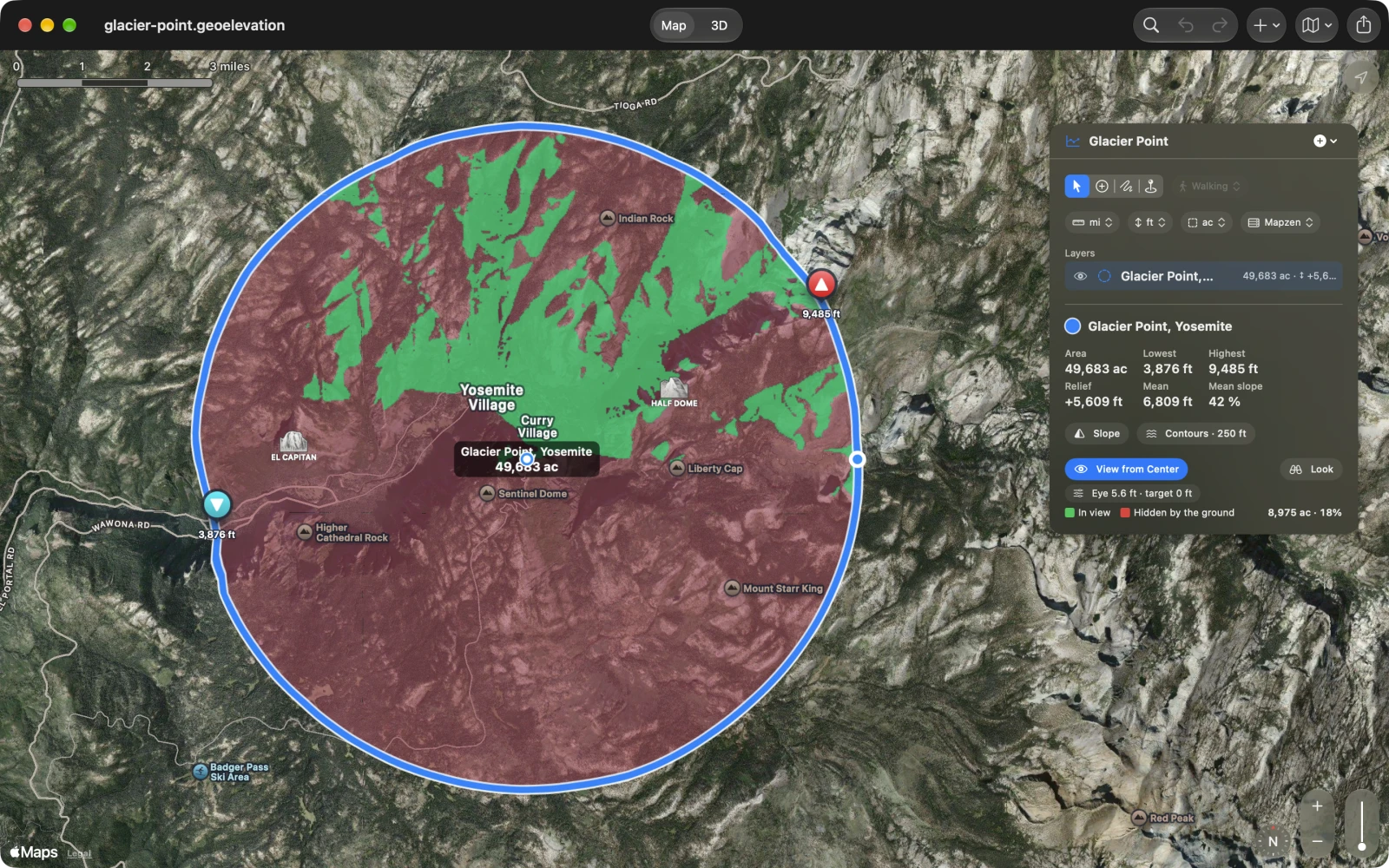
Switch it on
Section titled “Switch it on”-
Draw a circle around the viewpoint: choose New Circle from the + menu (Shape ▸ New Circle on the Mac), tap or click the center, then a point on the rim. The view needs a circle at least 100 meters (328 feet) in radius.
-
Choose View from Center under the circle’s numbers, in the panel or the card (View ▸ View from Center on the Mac).
“Tracing lines of sight…” shows while the view is worked out. Then the ground inside the circle turns green where the center can see it and red where the ground hides it, and under the button:
- the legend, In view and Hidden by the ground;
- the area in view and its share of the circle, for example “8,975 ac · 18%”.
Move or resize the circle, or change its heights, and the view is worked out again. Choose View from Center again to switch it off.
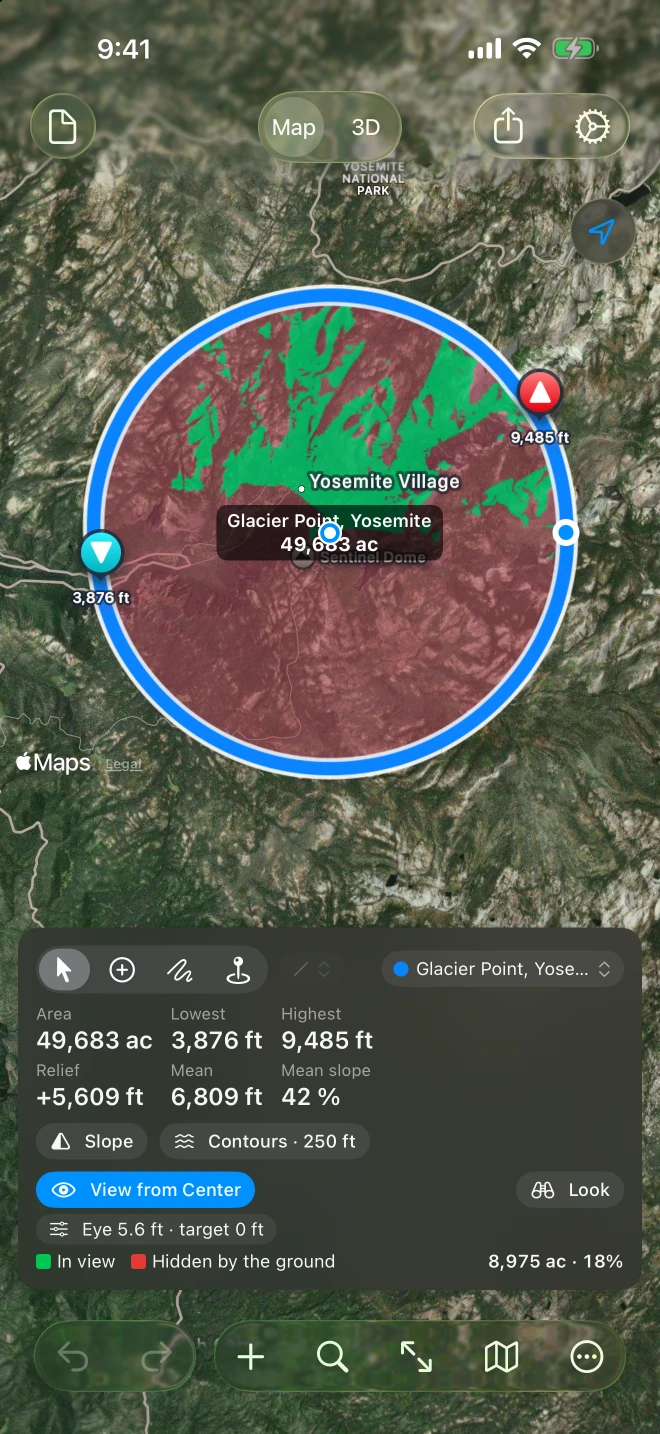
The heights
Section titled “The heights”With the view on, the chip under the button (“Eye 5.6 ft · target 0 ft”) opens the two heights:
- Eye above the center: 1.7 meters (5.6 feet) for a person standing; more for a lookout tower or a roof.
- Height of what you look for: 0 to see the ground itself; more to ask where a mast or a building of that height would be seen.
Both are typed in the document’s elevation unit, from 0 to 1,000 meters, and are saved with the circle. Each change is a step you can undo.
On the map and in 3D
Section titled “On the map and in 3D”- On the map the view takes the slope’s place: the ground has one coloring at a time. Switching on Slope turns the view off, and switching on the view turns Slope off. Contours stay.
- In 3D the block is colored the same way, and a pin on a stalk marks the circle’s center. See The ground in 3D.
- Look, beside View from Center, puts you at the center on foot, facing where the most is in view. See Look around from the center.
- The view stays on the screen: printed pages and exported images show the circle without its green and red.
How it is worked out
Section titled “How it is worked out”Our terrain service traces lines of sight from the eye above the center across the circle, over the document’s elevation data (Mapzen or ASTER, 30 meters apart), with the ground lowered for the Earth’s curve and standard refraction, and the sea at its surface. A circle larger than 25 km in radius is viewed out to 25 km; on iPad and Mac the panel says so.
The heights are bare ground: trees and buildings are not in the data, so a forest can hide ground the view shows in green. If the service cannot be reached, the panel shows the error and Try Again.
For one far point rather than everything around, a straight path of two points answers with a line of sight and its clearance.