

GPX Explore
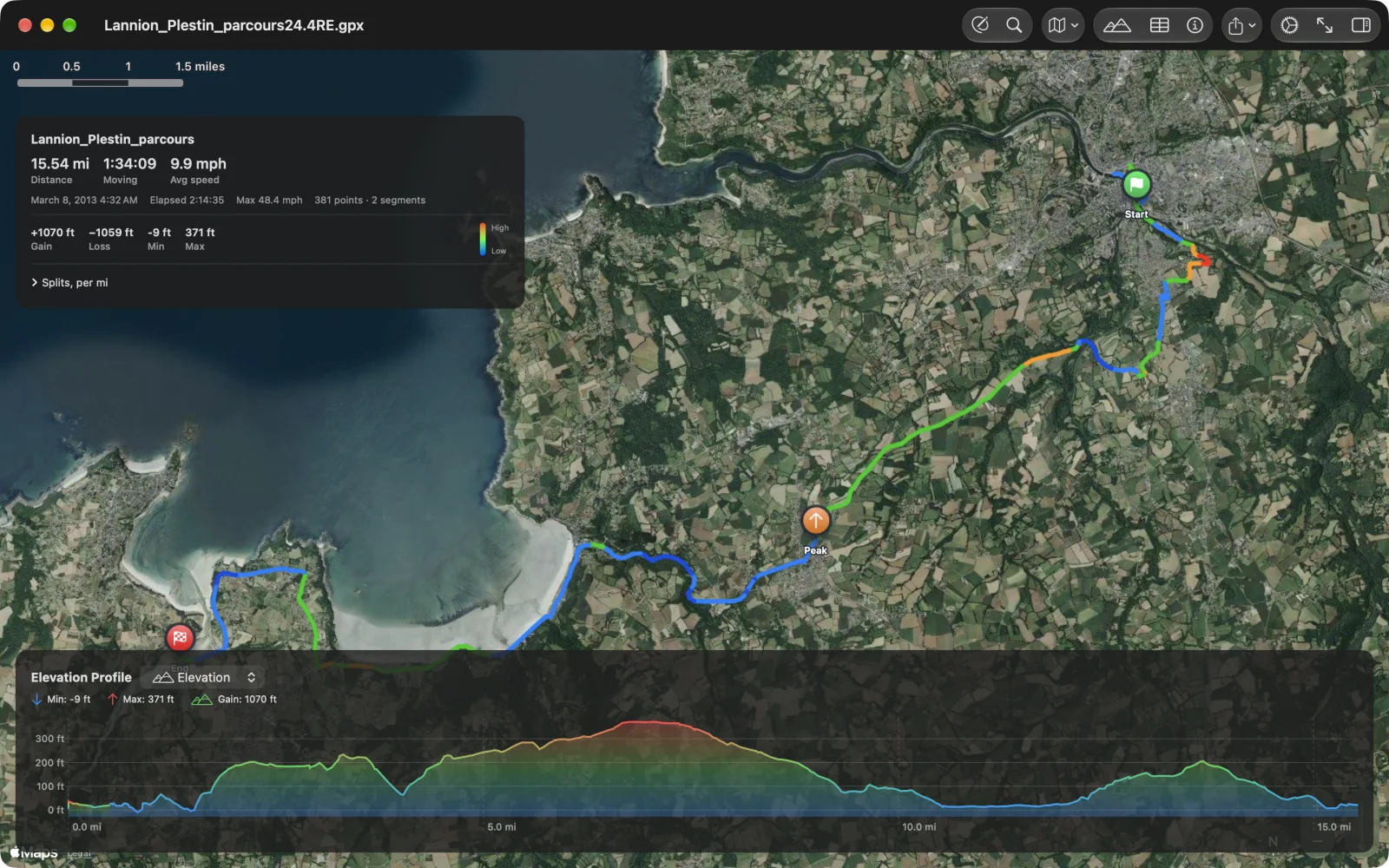
GPX Explore opens any GPX file and shows it on a map: the track colored by grade, the route card with distance, moving time, pace and climb, every climb rated from Category 4 to HC, the splits, and a chart of elevation, heart rate, power, cadence, speed or temperature under the map. It is also an editor: draw new tracks that follow paths and roads, fix recordings point by point, look up elevation, plan times and save plain GPX. It shows the ground under a track in 3D and flies along it. On iPhone and iPad it records a track from scratch, follows any route turn by turn with spoken directions, and opens your workouts from Apple Health. It runs on Mac, iPhone and iPad.
Viewing is free, climbs, printing, your Apple Health workouts and recording a track included. Drawing and editing, the 3D view and riding a route come with GPX Explore Pro, one purchase in the app.
Your first file in a minute
Section titled “Your first file in a minute”-
Open a GPX file. Double-click it in Finder, or choose Open a GPX File… in the Mac’s welcome window. On iPhone and iPad, tap it in Files, Mail or Messages and choose GPX Explore, or choose Open a GPX File… on the start screen. No file handy? Choose Open the Sample Run, or on iPhone and iPad go for a walk with Record a Track.
-
Read the card. The route card at the top left has the distance, the moving time and the average pace or speed, the climb, and the splits behind Splits. On iPhone it is a one-line strip; tap it for the whole card.
-
Scrub the chart. Move the pointer or a finger along the chart under the map and a marker follows on the track. The picker beside the chart’s title switches to heart rate, power and whatever else the file recorded.
-
Fit and switch. ⌘0 or Fit to View brings the whole track back; the Map Style menu switches between standard, satellite and hybrid.
-
Edit, if you like. Click Edit (⌥⌘E on the Mac) to draw and fix tracks. Every change can be undone, and the file saves itself.