

KML Explore Pro
Viewing any KML or KMZ file is free. KML Explore Pro is one purchase in the app that adds everything that changes a file, and export, on your Mac, iPhone and iPad.
- Opening any KML or KMZ, from anywhere, including the files KML Explore repairs to open.
- The layer list: the eyes, Show Only This, search, and your switches remembered per file.
- The map and its styles, names, overlays and web images; the card with areas and lengths in any unit.
- Balloons, attributes, time, style and position.
- Find a Place, coordinates in every format, and My Location with distances and directions.
- Quick Look previews and file icons in Finder, Files, Mail and Messages.
- Copy Name and Copy Coordinates; Share… a file on iPhone and iPad.
With Pro
Section titled “With Pro”Everything that changes the file:
- Edit and the seven tools: placemarks, paths, areas, freehand, circles and rectangles, straight or along paths and roads.
- Points: moving, adding and deleting them, the Points table, typed coordinates and nudges.
- Holes, Simplify, Reverse, Make an Area and Make a Path.
- Names, descriptions, attributes, styles, heights and folders, and the layer list’s Rename, New Folder, Duplicate, Delete and dragging.
- New Map, on the Mac’s welcome window and the iPhone and iPad start screen and File menu.
- Add Placemark Here on a place found with Find a Place.
- Save Shown Layers to the File.
- Export to GPX, GeoJSON and CSV.
Buying and restoring
Section titled “Buying and restoring”The purchase screen opens only when you ask for something that needs Pro: Edit, New Map (marked PRO until you have it), Export… (on iPhone and iPad, Export… (Pro)), a command in the Mac’s Draw menu, Edit… or Edit Points… in the layer list, the + on a found place, or Save Shown Layers to the File. On the Mac, File ▸ New opens an empty map, and Edit asks there. It never opens by itself. It shows what Pro adds, Unlock for with the price in your App Store currency (one purchase, no subscription) and Restore Purchases. With Ask to Buy, it says it is waiting for approval, and Pro unlocks by itself when the approval arrives.
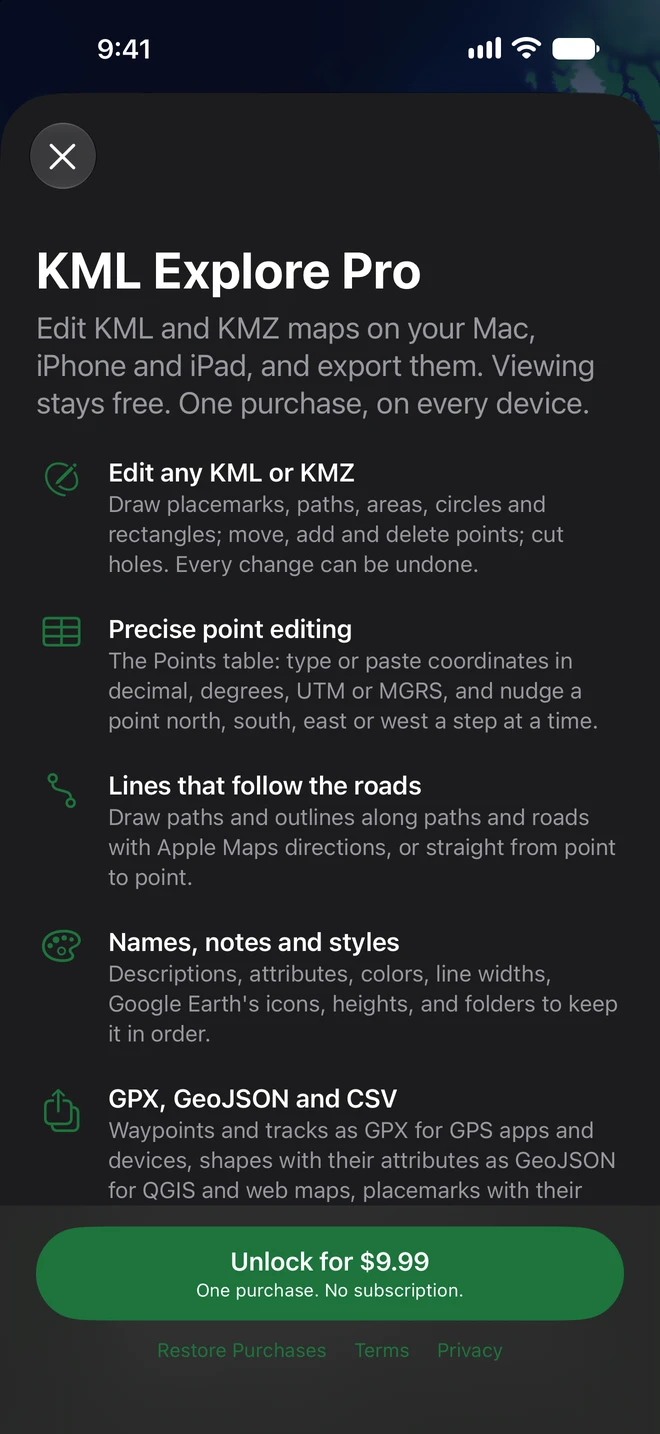
Once bought, what you asked for carries on: editing turns on, the Points table opens, the export sheet comes up, the placemark is added or the layers are saved. The purchase belongs to your Apple Account (and your family’s, with Family Sharing), so it unlocks KML Explore on every Mac, iPhone and iPad signed in to it. On a new device, or after reinstalling, choose Restore Purchases on the purchase screen or at the top of Settings, where Unlock KML Explore Pro… opens the purchase screen too.