

Settings
Open Settings with the gear at the top left of the Workouts list. They apply to every workout and every export, including Shortcuts.
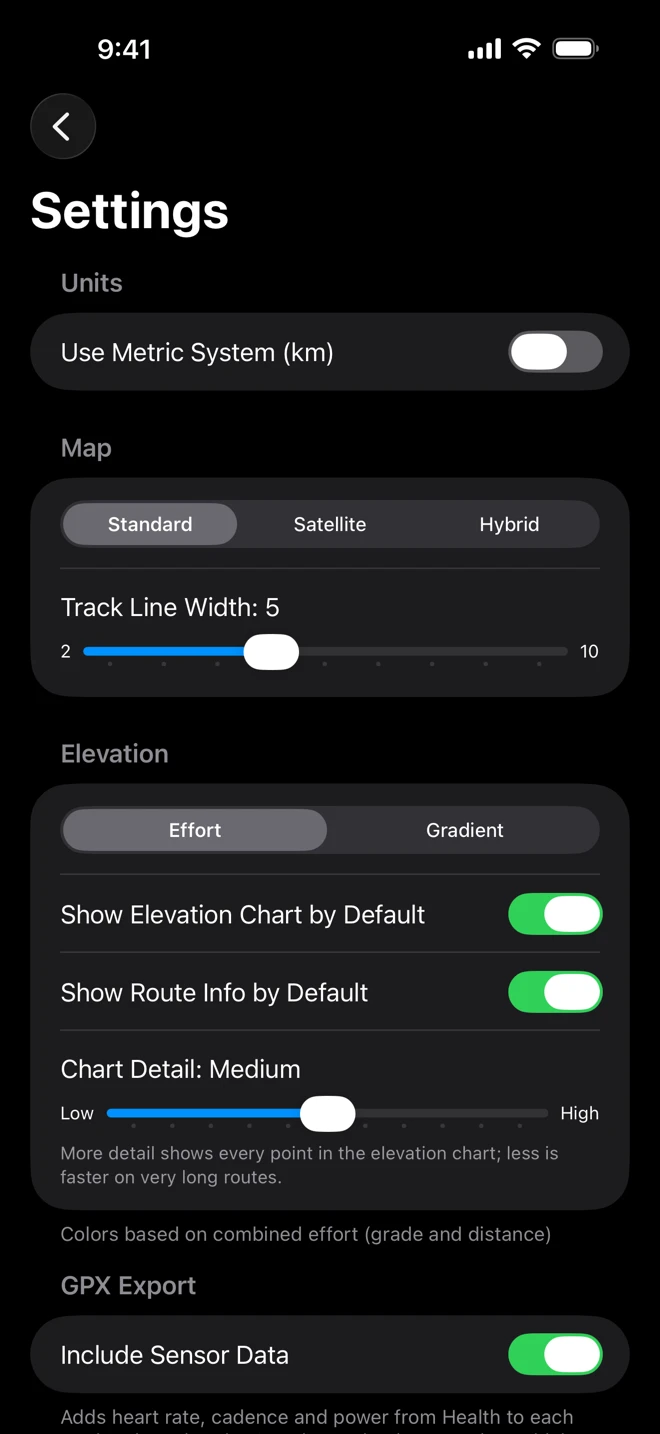
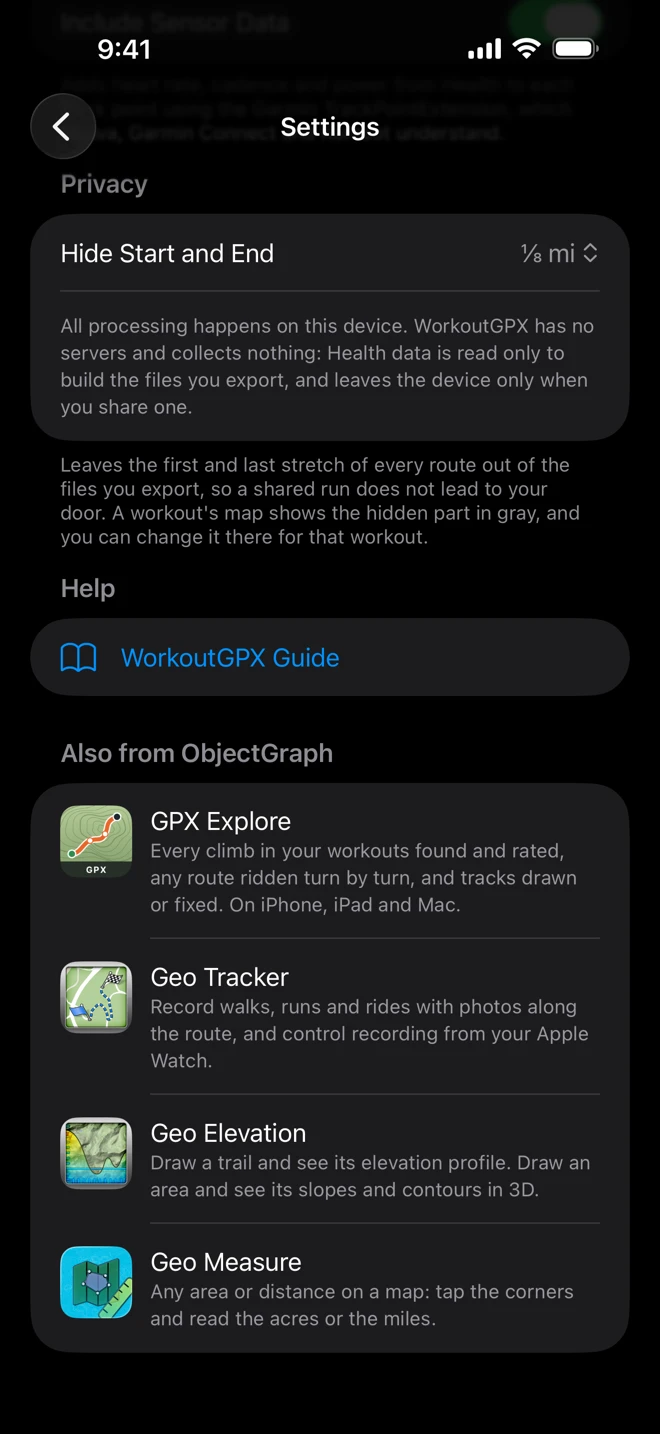
| Section | Setting | What it does |
|---|---|---|
| Units | Use Metric System (km) | Kilometers and meters when on; miles and feet when off. Until you change it, it follows your region: miles in the US and the UK, kilometers elsewhere. Changes the list, the route card, the chart, the steps of Hide Start and End, and the files’ names and descriptions. |
| Map | Map Style | Standard, Satellite or Hybrid (also in a workout’s view options menu). |
| Map | Track Line Width | The thickness of the route on the map, 2 to 10. |
| Elevation | Route Coloring | Effort follows the grade: steep climbs red, descents blue. Gradient follows the elevation, from low in blue to high in red. See the route viewer. |
| Elevation | Show Elevation Chart by Default | Whether the elevation profile is open when a workout opens. |
| Elevation | Show Route Info by Default | Whether the route card is open when a workout opens. |
| Elevation | Chart Detail | How many points the elevation profile draws, from Lowest to Maximum. Less is faster on very long routes. |
| GPX Export | Include Sensor Data | Heart rate, cadence and power from Health (with the GPS’s speed and course) on each point of the file. On by default. See What’s in the GPX file. |
| Privacy | Hide Start and End | Off, or 200 m, 500 m or 1 km (⅛, ¼ or ½ mi) left out at each end of every exported route. See Hide your start and end. |
A note under Privacy says how your Health data is handled: everything happens on the device, and WorkoutGPX has no servers and collects nothing. See Privacy.
WorkoutGPX Guide opens these pages in your browser.
Also from ObjectGraph
Section titled “Also from ObjectGraph”The last section lists our other apps: GPX Explore, which opens the files WorkoutGPX makes; Geo Tracker, which records walks, runs and rides as GPX; Geo Elevation; and Geo Measure. Tap one to see its App Store page over WorkoutGPX.