

WorkoutGPX
WorkoutGPX turns the workouts in Apple Health into GPX files, the format Strava, Garmin Connect, Komoot, Google Earth and nearly every map app read. Every kind of workout that has a GPS route can be exported: runs, walks, hikes, rides, swims, paddles and ski days, with heart rate, cadence and power on each point when Health has them. It runs on iPhone and iPad (iOS 16 and later) and has no account. Your workouts go nowhere unless you share a file.
Your first file in a minute
Section titled “Your first file in a minute”-
Allow Health access. The first time WorkoutGPX opens, iOS asks what it may read. Turn on Workouts and Workout Routes; heart rate, running power, cycling power and cycling cadence add the sensor data to your files. WorkoutGPX only reads; it never writes to Health.
-
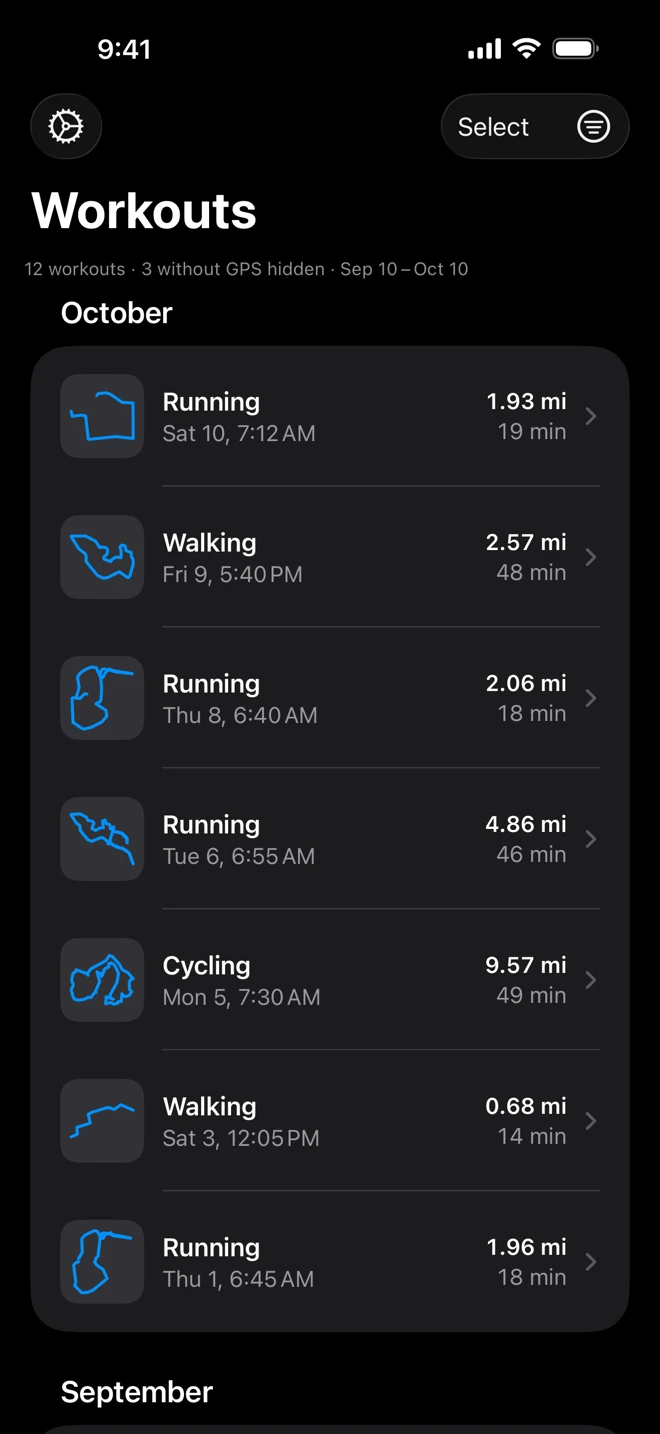
Find the workout. The Workouts list shows the last month, newest first, a section per month, each row with the shape of its route. The filter button at the top right narrows it by type and dates. See Filters.
-
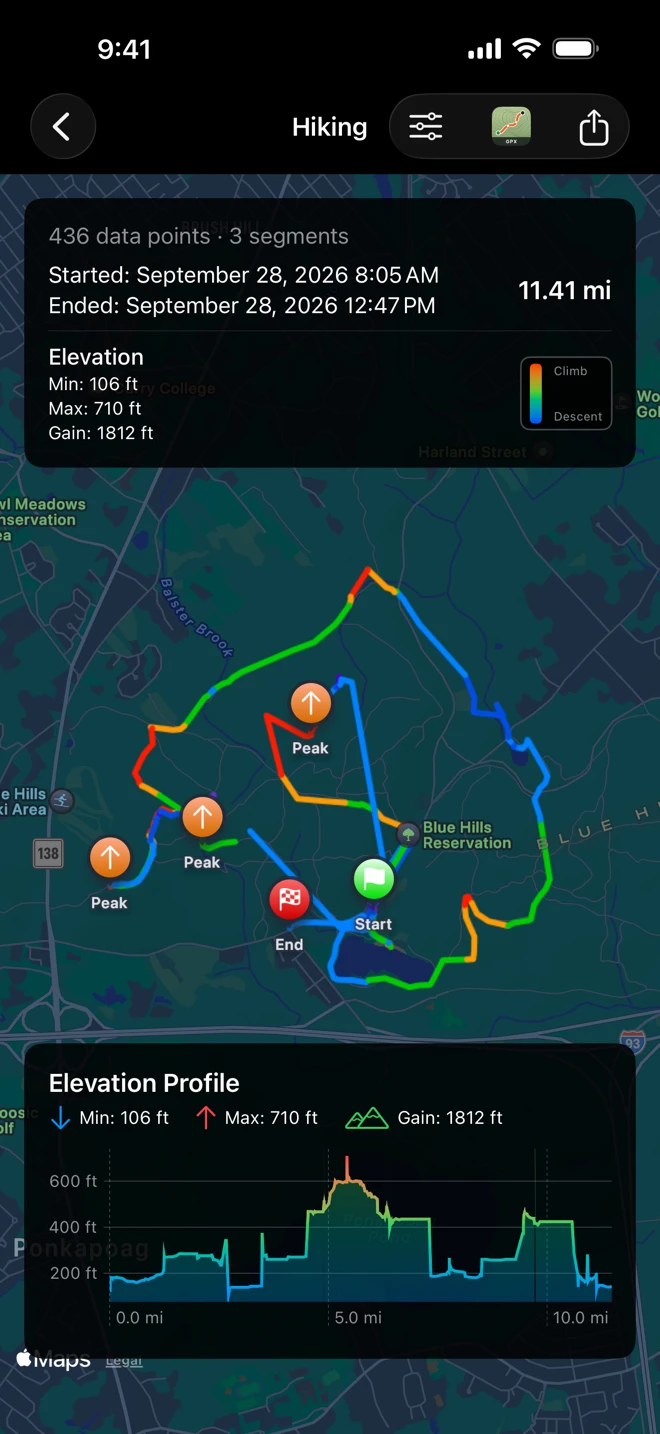
Swipe it to the left and tap Share GPX. Or tap the workout to see it on the map first, then the Share button at the top right.
-
Choose where it goes. The share sheet offers AirDrop, Messages, Mail, Save to Files and the apps that take GPX files. A copy also stays in the Files app, in the WorkoutGPX folder.
Health access
Section titled “Health access”WorkoutGPX asks to read:
- Workouts and Workout Routes: the list and the GPS track of each workout.
- Heart Rate, Running Power, Cycling Power and Cycling Cadence: the sensor data written onto each point of the file (cycling power and cadence need iOS 17).
If WorkoutGPX was never given access, it opens to Health access not authorized, with Request Health Permission and Open Health Settings. iOS asks only once; after that, change the choices in the Health app: tap your picture at the top, then Apps under Privacy, then WorkoutGPX. If workouts are turned off there, the list stays empty and reads No workouts found. See Troubleshooting.