

GPX Explore Pro
GPX Explore is free to view any GPX file and, on iPhone and iPad, to record one. GPX Explore Pro is one purchase in the app that adds the editor and the 3D view on your Mac, iPhone and iPad, and on iPhone and iPad riding a route turn by turn.
- Opening any GPX file, Quick Look in Finder, Messages, Mail and Files, and the file icons.
- The map, the colors, the markers and the map styles; Find a Place.
- The route card, the splits and the chart of every series, with scrubbing and zoom.
- The climbs on the card and the chart.
- Workouts from Apple Health on iPhone and iPad, opened on the map and saved as GPX files, and workouts sent from WorkoutGPX.
- Recording a track on iPhone and iPad, and saving it to Apple Health.
- Printing and the PDF report, with the climbs and the cue sheet.
- The tracks list, including hiding tracks, segments and waypoints.
- The Points table: reading, sorting, Show on Map and Copy as CSV.
- Copy Coordinates, Go to Coordinates to look at a place, Share GPX File and Export Map Image….
With Pro
Section titled “With Pro”Everything that changes the file, and the lookups that come with it:
- Edit mode and its four tools: drawing, freehand tracing and waypoints.
- Following paths and roads with Apple Maps directions.
- Moving, adding and deleting points, ranges, cropping and splitting: Fix a recording.
- Every track tool, from Reverse to Delete Track, and renaming in the tracks list or on the route card.
- Elevation from the terrain model, for new points and with Replace Elevation.
- Plan Times…, Shift Times… and the other time tools.
- Editing in the Points table, Add from File… and saving File Info….
The ground in 3D, on Mac, iPhone and iPad:
- The 3D view with the climbs on the hills, Fly the Route, and flyover videos to post. The ground comes from our server.
And on iPhone and iPad:
- Ride This Route: spoken turns with street names, off-route alerts and the way back, the climb you are on, the Lock Screen, and your track recorded and saved to Apple Health.
Buying and restoring
Section titled “Buying and restoring”The purchase screen opens when you ask for something that needs Pro: the Edit button, Draw a New Track (in the Mac’s welcome window and on the iPhone and iPad start screen, marked Pro), Add from File…, 3D (on the Mac also View ▸ 3D Terrain), Ride above the chart, or any editing item in a menu. It never opens by itself. It shows what Pro adds, an Unlock for button with the price in your App Store currency (one purchase, no subscription) and Restore Purchases. With Ask to Buy, it says it is waiting for approval, and Pro unlocks by itself when the approval arrives.
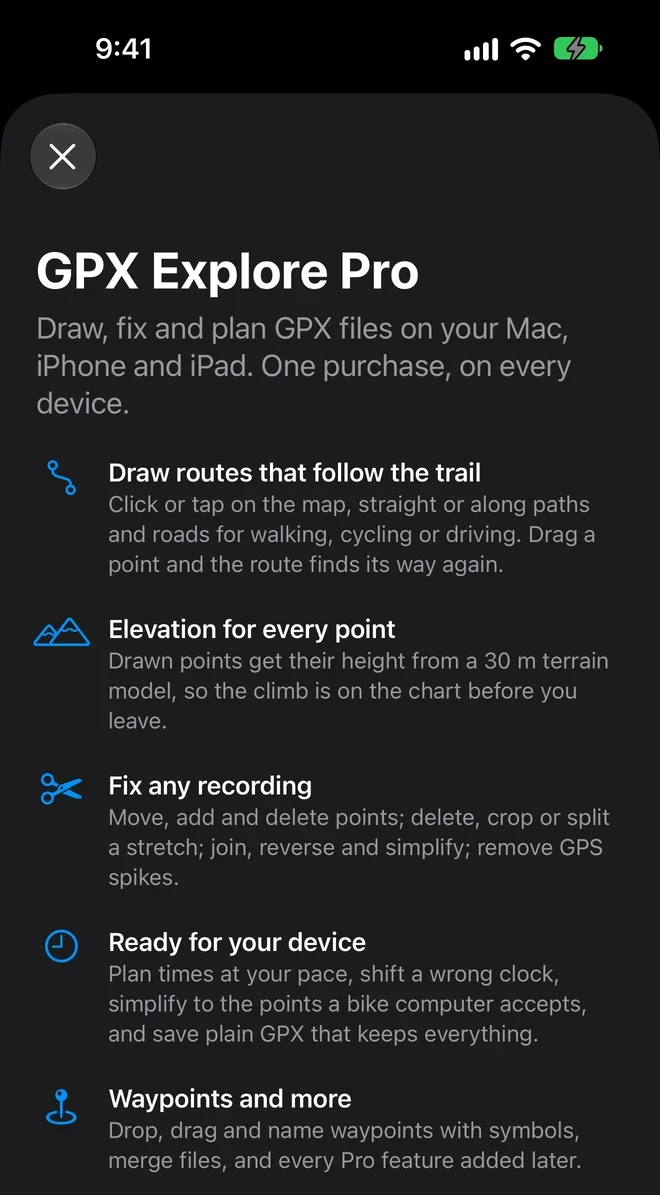
Once bought, what you asked for carries on: edit mode turns on, the file picker opens, the 3D view opens, or the ride’s setup sheet appears. The purchase belongs to your Apple Account, so it unlocks GPX Explore on every Mac, iPhone and iPad signed in to it. On a new device, or after reinstalling, tap Restore Purchases.