
Files that need repairs
A lot of KML in the world isn’t quite valid: written by hand, by old exporters, or cut short by a download. Google Earth shrugs at some of it; most apps refuse it all. KML Explore reads every file strictly first. When that fails, it repairs a copy in memory and opens that, and says what it did. Your file is not changed.
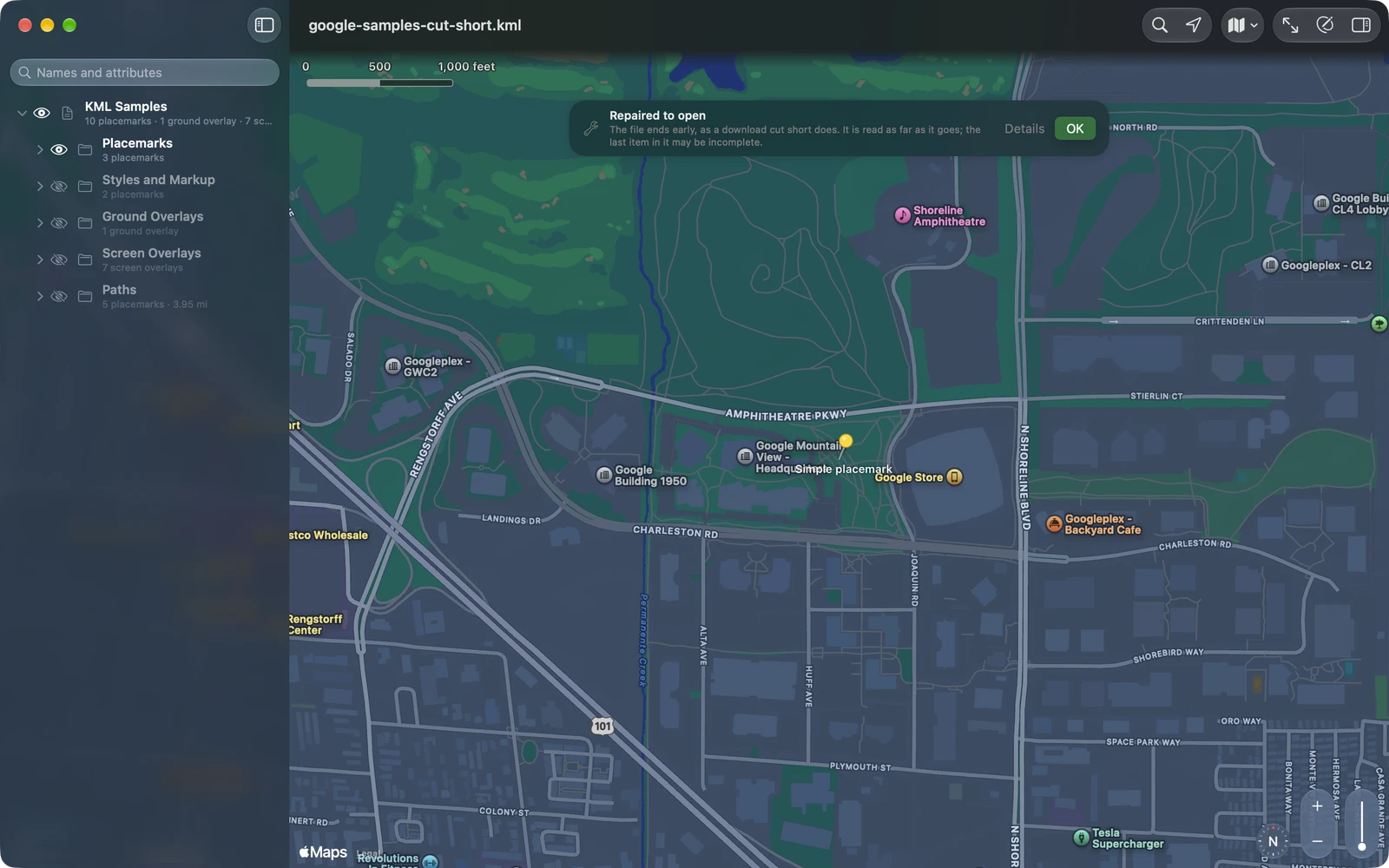
Repaired to open
Section titled “Repaired to open”A repaired file opens with a banner over the map: Repaired to open, and what was repaired (or how many problems were). Details lists each repair; OK puts the banner away for this window.
What KML Explore repairs:
| The problem | The repair |
|---|---|
An “&” not written as & (in a name, a link) |
Escaped |
HTML entities such as , which XML doesn’t know |
Turned into the characters they stand for |
| Raw HTML in a description, not escaped or in a CDATA section | Read as the description’s text |
| Text in Windows Latin 1 in a file that says it is UTF-8 | Those characters read as Latin 1 |
| A file that says UTF-16 but is UTF-8 | Read as UTF-8 |
| Text before the start of the XML | Removed |
| A damaged XML declaration | Repaired |
| Control characters XML doesn’t allow | Removed |
gx:, kml:, atom:, xal: or xsi: used without being declared |
Declared |
| A file that ends early, as a download cut short does | Read as far as it goes; the last item may be incomplete |
| Something after the end of the KML (a second copy, junk) | Ignored, from the line where it starts |
| A KMZ cut short or with a damaged directory | The files in it that are whole are read |
| A KMZ whose map isn’t named .kml | Found; saving names it with .kml |
| A KMZ written on Windows, with “\” in its paths | Read with “/” |
| A picture in a KMZ that is damaged, or compressed in a way that can’t be read | Left out, and named |
| A file in a KMZ that doesn’t match its checksum | Read, with a note that it may be damaged |
If you edit a repaired file with Pro, saving writes the repaired version, which Google Earth and other apps open too. Until then, nothing is written. Quick Look reads files the same way, so a repaired file gets its picture in Finder and Files too.
What can’t be opened
Section titled “What can’t be opened”When a file can’t be repaired safely, KML Explore says what is wrong instead of opening part of it as if it were whole:
| The message | What it means, what to do |
|---|---|
| The file is empty. | Nothing arrived. Download or send it again. |
| This is a web page, not a KML file | The link needed a sign-in or no longer leads to the file. Download it again from where it came from. |
| This is a GPX file, not KML. | A GPX under a .kml name. GPX Explore opens GPX files. |
| This is a GeoJSON file, not KML. Open it in an app that reads GeoJSON files. | A GeoJSON under a .kml name. |
| The file’s XML is broken at line …, column … | A mistake KML Explore can’t repair, such as a tag closed in the wrong place. Fix that line in a text editor and open it again. |
| This is XML, but not KML: it starts with <…>. | Another kind of XML file. |
| The KMZ has no map inside | The zip holds no KML file. |
| The KMZ is damaged, and no map could be read from it. | Download it again from where it came from. |
| The KMZ uses …, which KML Explore can’t read. | An encrypted KMZ, for example. Ask for one without a password. |
A description missing its closing tag is refused rather than repaired, because the repair would swallow the placemarks after it.